
The integration of technology into automotive environments is transforming how we interact with our vehicles. Android Auto Service stands at the forefront of this shift, offering an interface where mobile applications and car systems converge seamlessly. It allows drivers, whether private car owners, small business fleet operators, or service providers, to access vital applications while ensuring road safety. This article explores the multifaceted impact of Android Auto Service, detailing its functionalities, integration into automotive systems, effects on driver safety, technical aspects for developers, and future trends that will shape the way we drive. Each chapter delves deeply into these aspects, providing a comprehensive understanding of how this service reshapes the automotive landscape.
Vehicle-Integrated App Services: Bridging Your Phone and the Car’s Infotainment System
In modern driving, the distinction between the apps you carry in your pocket and the experiences you access on a car’s display has begun to blur. A vehicle-integrated app services framework acts as the quiet mediator, a specialized conduit that lets mobile applications run in a way that respects both driver safety and the need for seamless, context-aware information. Rather than a single monolithic service, this framework is best understood as a coordinated set of capabilities that enable ongoing tasks to persist across a switch in apps, while presenting a driving-appropriate interface on the vehicle’s screen. The goal is not to duplicate phone screens inside the car, but to adapt and optimize the app experience so it becomes safer to use during a drive and more trustworthy in its behavior when the vehicle is in motion. The result is a smoother, more reliable symbiosis between the phone’s software ecosystem and the car’s information and entertainment system, designed to keep attention on the road and hands on the wheel while still delivering the conveniences users expect from mobile apps.
At the heart of this approach are several core capabilities that the framework enables. First, music and media playback can survive transitions between applications. When a driver toggles to a different app, the audio subsystem on the car ends up coordinating with the phone’s app to keep sound uninterrupted, or to surface a simplified, car-optimized playback interface on the car’s display. This persistence is not a bug but a deliberate design choice: it reduces the need for the driver to fumble with controls, thereby lowering distraction. Second, the framework supports background data transfers. If a phone has network connectivity, the system can schedule uploads or downloads in the background, with progress reflected in a compact, car-appropriate status surface. This is particularly important for apps that sync data periodically, ensuring that the most current information is available when the driver or passengers need it, without forcing the driver to take extra time to initiate the task.
A third capability centers on periodic or scheduled tasks. Apps may need to synchronize data, check for updates, or purge stale information even while not actively in the foreground on the car’s display. The framework provides a lifecycle that allows such tasks to run in the background while still presenting predictable updates to the user when their attention is appropriate. Fourth, monitoring device state becomes feasible in a way that is integrated with the vehicle environment. Apps can receive signals about changes in storage media, battery status, or other essential hardware status that could affect performance or user experience. Instead of bombarding the driver with technical alerts, the system translates critical information into safe, glanceable indicators that can be acted upon with minimal distraction.
A fifth cornerstone is ongoing location awareness. For navigation-related or location-based apps, the ability to maintain a continuous, privacy-respecting sense of position is valuable. The car’s display can show streaming location data or relevant contextual information—such as nearby points of interest or status updates—without requiring the driver to switch away from the primary driving task. The architecture of this integration is intentionally modular: the app on the phone contains a service that communicates with the car’s display through a well-defined interface, and the car’s head unit presents a driver-optimized view that emphasizes clarity, legibility, and safety. This separation of concerns ensures that the app logic remains on the phone, while the car surface focuses on presentation and interaction patterns that are suitable for in-vehicle use.
One might ask how developers actually enable these capabilities without naming a specific product suite. In practical terms, developers implement a dedicated service inside their phone application that serves as the bridge between the app and the car’s integration layer. This service is responsible for handling requests coming from the car’s display, coordinating with the app’s own logic, and rendering results back to the car’s interface in a way that aligns with driving safety guidelines. The bridge is designed to be lean and predictable: it processes commands, returns concise responses, and avoids long-running operations on the car’s front end. Importantly, the service acts as a gatekeeper, ensuring that the user interface that appears on the vehicle screen reflects only safe, driver-appropriate content and that controls are limited to actions that can be performed with minimal distraction.
To make this bridge work, developers declare support for car-integrated experiences in a way that is consistent with their platform’s app model. Instead of tying directly to a particular car interface, the app specifies how its content should appear and which features are available when connected to a vehicle. This often involves describing the display templates, interaction affordances, and the kinds of data the app is prepared to share with the car system. For apps that are designed to run primarily when the vehicle is stationary—for example, certain media or reference apps—a particular type of triggering mechanism can be introduced to ensure that the car’s system only launches the app under safe conditions. The outcome is a tailored, vehicle-optimized manifestation of the app that respects both the driver’s state and the vehicle’s operating conditions.
The relationship between the phone-based app and the car’s head unit also clarifies a simple but important distinction: not every car experience needs to run as a full, independent car-native app. Some experiences are better delivered as complementary mobile-enabled services that rely on the car’s display for presentation while preserving the control and data logic on the phone. This separation emphasizes safety and privacy. The car surface should present information succinctly, offer minimal, context-aware interactions, and avoid exposing sensitive data or relentless background activity that could distract the driver. The phone, meanwhile, maintains responsibility for data processing, network communication, and long-running tasks. This division helps ensure that the in-car experience remains reliable, responsive, and consistent with the broader expectations users have for their mobile apps.
A key practical point emerges from this architecture: the car’s integration layer does not operate in isolation. It depends on the app’s careful design, including how the app adapts its user interface to a vehicle context, the kinds of content it chooses to surface on the car screen, and how it handles state changes such as connectivity interruptions or driver-initiated pauses. It also depends on rigorous testing that simulates real-world driving conditions, including moments of high cognitive load, rapid context switches, and brief outages in connectivity. When these considerations are baked into the development process, the resulting experiences feel natural rather than intrusive. The consequence for end users is a set of apps that remain useful while staying aligned with the primary goal of vehicle safety: the driver’s attention stays on the road, and in-cabin interactions are designed to minimize the chance of distraction.
Culturally and technically, this framework also maps a clear boundary between car-specific experiences and the broader mobile ecosystem. The car surface is not a replacement for the phone’s own interfaces; it is a carefully designed extension that respects driving realities and privacy constraints. Developers who follow this approach tend to build interfaces that are compact, legible at a glance, and navigable with simple controls. They favor summarized content over detailed dashboards, meaningful icons over verbose text, and state-aware prompts that guide the driver toward safe actions. In this way, the technology becomes a facilitator of convenience rather than a source of friction or confusion. The overarching aim is to deliver a high-quality, dependable user experience that respects the unique demands of being behind the wheel while leveraging the strengths of mobile applications.
For readers who want a broader sense of where these ideas come from and how they are evolving, the concept sits within a larger ecosystem of car-integrated development. It is not a solitary feature but part of a broader strategy to harmonize mobile apps with in-vehicle systems. The emphasis is on clarity, safety, and reliability, with a clear emphasis on how data flows between the phone and the car, how presentation is adapted for in-vehicle viewing, and how developers can minimize distraction while still delivering meaningful value. If you want to explore the conceptual underpinnings and official guidance that shape these practices, you can consult the developer resources that outline how apps can describe their car-facing behavior and how vehicle contexts are managed in a secure, controlled manner.
For readers seeking a practical touchpoint within the broader ecosystem of auto service and maintenance content, a concise overview of these concepts can be found in a dedicated piece that outlines how vehicle-related service experiences are structured when mobile apps interface with car systems. This overview provides context for how in-car app experiences intersect with service quality, reliability, and the overall customer journey in auto care. A+ Auto Service Overview.
External reference for deeper understanding: for a more official, standards-oriented view of car-related app frameworks and their capabilities, see the general overview offered by the primary platform documentation, which presents the architecture, safety considerations, and developer workflows for in-vehicle app integration. https://developer.android.com/cars
Android Auto Service: Bridging Mobile Apps and Vehicle Infotainment
The integration of Android Auto Service creates a safe, driver focused bridge between the user’s smartphone and the vehicle’s infotainment system. It defines two primary hosting paths: the phone based Android Auto experience, which projects a simplified interface onto the car’s display while the phone handles processing and connectivity, and Android Automotive OS (AAOS), which runs directly on the car and offers a deeper, embedded experience. For developers and service providers, this dual path requires careful manifest declarations, lifecycle management, and an attention to the vehicle’s duty cycle so that apps remain usable without compromising safety. GAS (Google Automotive Services) can be embedded within AAOS to provide Maps, the Play Store, Assistant, and related services, while compatibility and branding considerations guide how OEMs deploy these capabilities. Across both paths, the core design principles emphasize driver attention, large touch targets, reliable background operation, and predictable state transitions. The result is a cohesive ecosystem where in car apps, remote diagnostics, maintenance reminders, and media or navigation tasks can occur with minimal distraction. Service providers can map customer workflows to the two hosting environments, ensuring that critical tasks persist through state changes and power management. For guidance, developers should consult official Android for Cars documentation and follow the manifest and CarAppService lifecycle requirements to guarantee safe and compliant operation within the car’s environment.
Steering Safely Through Screens: Android Auto Service, Driver Focus, and the A+ Auto Service Experience
The workshop floor has grown beyond wrenches and diagnostic scanners. In today’s garages, a+ auto service teams are increasingly asked to translate the language of smartphones into a safe, driver-centric in-vehicle experience. At the center of this shift sits Android Auto Service, a development framework that enables car infotainment systems to host apps in a way that aims to reduce distraction while maximizing useful connectivity. The goal is clear: provide drivers with familiar, capable interfaces that stay out of the way when the road demands attention, yet unlock a steady stream of information and entertainment when it is safe to do so. In practice, this means enabling persistent tasks that continue to run in the background—music playback that survives a switch to another app, background downloads or uploads as network conditions permit, and regular background checks or data synchronizations that keep applications current. It also means keeping a watchful eye on the vehicle’s health status—monitoring SD card changes, battery state, or other vital signals—to ensure the interface remains stable during the dynamic environment of a drive. For a shop like ours, the promise of Android Auto Service is not merely about compatibility; it is about designing a driver experience that respects attention limits while preserving the convenience that modern mobility users expect. From a practical standpoint, this translates into tighter service workflows inside the shop: evaluating whether a vehicle’s infotainment system should mirror apps from the phone or host a more vehicle-integrated subset, configuring background tasks so they do not intrude on navigation or audio playback, and ensuring updates are deployed in a way that preserves both safety and performance. Our technicians become not only engineers of mechanical reliability but stewards of human–machine interaction, calibrating the balance between empowerment and distraction. When customers ask what Android Auto Service can do for their daily routines, we emphasize a few core capabilities framed by a+ auto service standards. First, the interface must prioritize navigation, communications, and media control in a streamlined, driver-optimized layout. Second, voice-driven control should be a primary input mode, allowing drivers to issue directions, send messages, or adjust playback without diverting their eyes from the road. Third, the system must gracefully exit nonessential applications when the vehicle is in motion, reducing exposure to touch-based tasks that pull the driver’s attention away from steering and scanning the roadway. This design ethos resonates with the safety standards that guide our practice, including the mandate that complex touch interactions be minimized while voice interfaces are fully leveraged to interpret user intent. Yet there is more to the story than a simple safety checklist. Research in the field paints a nuanced picture. On one hand, a purpose-built driving mode and robust voice control can mitigate some cognitive load by reducing the need for manual input and by presenting information in a visually concise form. On the other hand, studies consistently show that simply adding a connected interface into a car raises cognitive demands in ways that are not always intuitive for drivers. When drivers interact with CarPlay or Android Auto, their attention can be diverted more than expected, particularly during touch-based use. Reaction times can slow, eyes may travel away from the road for longer periods, and the ability to maintain safe following distances or precise vehicle centering can be challenged when hands and eyes are engaged with the screen. In some cases, the measured attention costs rival or even exceed the impairment associated with certain substances in controlled contexts. Those findings remind us that technology, while powerful, is not a neutral addition to the vehicle. It changes the cognitive landscape of driving, and that change must be managed with thoughtful design, rigorous testing, and responsible user practice. The practical implication for a+ auto service is to weave safety into every installation, configuration, and recommendation. Our approach begins with a robust assessment of the customer’s typical driving patterns, ensuring that the chosen setup aligns with their routes, commuting sessions, and preferred modes of interaction. We encourage drivers to pre-set routes and destinations before they begin their trips, to minimize in-journey adjustments, and to favor voice commands for routine tasks. We educate customers about minimizing touch interactions, especially in busy urban conditions where a single glance can become a distraction. We emphasize the need for situational awareness—keeping eyes on the traffic scene and relying on auditory guidance and concise, clearly spoken prompts whenever possible. In this way, the service we provide becomes more than a technical installation; it becomes a discipline that fosters safer driving behavior while preserving the benefits of connected apps. The system’s design must also consider the realities of real-world driving. While a robust driving mode and voice interface can steer users toward safer patterns, drivers often press the boundary between convenience and distraction. That means the service team has to account for edge cases—how navigation prompts interact with real-time traffic updates, how messaging apps handle privacy and interruptibility, and how music or podcasts continue seamlessly as a user switches between tasks or devotes attention to a critical traffic event. Our technicians are trained to verify that the car’s infotainment environment respects the vehicle’s power state and connectivity, particularly during starting or stopping sequences. We verify that background tasks resume cleanly after a brief pause, and that app refresh cycles do not interrupt essential driving displays. This level of care matters because the same framework that enables a continuous music stream or a timely route adjustment can, if mismanaged, contribute to a momentary detour from safe driving. In our practice, we also recognize that the user experience is inseparable from safety outcomes. A driver who feels in control—who can easily summon directions, quickly reply to a message with a single voice command, and adjust media without glancing at a screen—will be more likely to keep their focus where it belongs. The design objective is to minimize cognitive friction: present just enough information to inform, not overwhelm; reveal controls that are intuitive and consistent with day-to-day smartphone usage; and ensure that any deviation from standard driving behavior is deliberately discouraged by the system’s rules and the technician’s configuration. This is where the synergy between safety science and hands-on auto service shines. A+ auto service teams bring a unique blend of mechanical proficiency and human factors insight to every installation. We assess not only whether the system is compatible with a vehicle’s hardware and software but also whether it complements the driver’s cognitive workflow. We examine potential data exchange limitations—such as how the phone and car share information and how that exchange might constrain deeper vehicle integration—and we guide customers toward configurations that support predictable, low-distraction usage. In some cases, customers may be tempted to extend the live functionality of the car’s screen to contain more apps and more features. Our stance is that more is not always better. We advocate for a pared-down, purpose-built experience tailored to safe driving priorities. We also advise ongoing maintenance and updates to manage evolving safety standards, app behavior, and firmware. A well-managed Android Auto Service deployment in a vehicle should include a periodic review of installed apps, permission settings, and notification policies, especially as the driving environment changes with new traffic patterns or seasonal conditions. The outcome is a transparent, accountable balance: drivers gain reliable access to essential tools, service providers deliver a stable, safety-conscious interface, and everyone benefits from a driving experience that respects attention limits while still leveraging modern connectivity. For readers seeking a concrete example of how this philosophy comes to life in our shop, the a+ auto service overview offers a concise blueprint of our approach to in-vehicle technology, including how we assess, implement, and support Android Auto Service in diverse vehicle platforms. See the overview here: a-plus-auto-service-overview. As this chapter continues to unfold in the broader article, the thread to follow remains clear: the interface between driver, device, and road is not a static feature but a dynamic system that evolves with safety research, user expectations, and the evolving capabilities of in-car software. Our role as a service organization is to guide this evolution, crafting experiences that empower drivers to stay focused, informed, and connected without compromising safety. The conversation about Android Auto Service is ultimately a conversation about how we design for real driving conditions—the long arc from ease of use to reliable, context-aware assistance that respects the road, the vehicle, and the human behind the wheel. For those who seek formal grounding beyond everyday practice, official safety certification standards offer a framework for evaluating and validating the safeguards embedded in these systems. External readers can consult the Android Auto Safety Certification Standards to understand the criteria that govern how such interfaces should behave under varied driving scenarios. https://developer.android.com/car/safety
Engineering Safe, Seamless Car App Services: Technical Foundations for Android Auto Developers
Every journey from a mobile app into a car cockpit begins with discipline in architecture. When a developer designs a service that runs inside a vehicle’s infotainment environment, safety and simplicity are not optional; they are the core constraints that shape every decision. The Android Auto service model, centered on the CarAppService framework, invites developers to treat the vehicle as a companion platform rather than a larger version of a handheld device. This perspective matters because the car imposes a persistent, immersive context with distinct input modalities, display geometry, and an audio policy governed by the vehicle itself. A well executed CarAppService does more than present content; it coordinates back end tasks, user interactions, and vehicle state awareness in a way that minimizes driver distraction while maximizing utility.
The central idea is straightforward: the CarAppService acts as the nerve center of an app within the car, coordinating life cycle events, delivering user interface templates tailored for driving, and orchestrating background work that can persist beyond the foreground experience. Developers begin with a dedicated service class that the vehicle’s system recognizes as the entry point for app interaction. This service, declared in the app manifest, must be exported so the car system can reach it, and it must advertise the correct experience category through an intent filter. If the app includes messaging capabilities, the service signals a messaging category; if the app also handles calls, it declares that category as well. The manifest configuration is not merely a stub; it is the vehicle friendly handshake that ensures the car’s compositor can route content to the driver in a controlled and predictable way. In practice, this means designing a lifecycle that respects the vehicle’s state, responds promptly to system signals, and avoids blocking the user interface with long running tasks that could degrade the driving experience.
For teams just beginning in this domain, a practical starting point is to map the app’s core tasks to the CarAppService lifecycle. Music playback should be capable of continuing smoothly when the driver moves between apps, while background data transfers can occur when network availability permits, without forcing the driver to reauthenticate or lose context. Regular synchronization tasks, such as data checks or content updates, should be scheduled in a way that aligns with the vehicle’s power and connectivity policies. A focused approach to state management matters here: the car environment often requires a clear and lightweight representation of connection status, media state, and navigation context. This is not a desktop or handheld OS; it is a vehicle system with its own integrity constraints and user expectations.
One of the first design choices concerns minimum compatibility. To take advantage of modern features such as richer conversation interactions, it helps to declare a minimum car API level. This is typically done through a meta data declaration in the manifest that informs the car system which API surface the app expects. Aligning with the car API level ensures that newer interaction concepts can be employed without sacrificing compatibility with older vehicles. The result is a more capable user experience inside the driver’s viewport while keeping a safe baseline for broader deployment. It is a balance between embracing progress and preserving reliability across diverse hardware configurations.
Beyond the lifecycle and API level decisions, the type of app shapes the manifest and the description of capabilities that the car expects. Media, messaging and template based apps signal their support through a centralized description that the car system reads. This automotive app description resource communicates what the app can do at a high level, including whether it handles notifications or uses template driven experiences. The approach is pragmatic: the car operator needs to know what kinds of experiences the app can present and how it will behave under various driving conditions. For apps designed to operate while the vehicle is parked, another mechanism comes into play. These parking mode apps declare a different entry point, allowing them to launch directly from the car’s home screen when the vehicle is in park. The separation of concerns reflects the environment: an app that is active during driving must embrace a tempered interaction model, while parking mode apps can provide richer, less time sensitive interactions.
From a platform perspective, the automotive environment imposes constraints on display and interaction that demand careful engineering. The car’s display is often full screen, and the system bar may appear or disappear based on edge gestures. Navigation bars can appear on the left, right, or bottom, and their sizes may differ dramatically from typical mobile devices. Vehicles may feature non rectangular displays with notches or pillars, which means UI elements must respect window insets and safe areas to avoid clipping. The lack of a traditional back button inside the car requires the app to implement its own internal navigation flow that adheres to quality guidelines. In some OEM configurations, the immersive mode is controlled by the vehicle, limiting the app’s ability to hide critical system controls. These are not cosmetic considerations; they ensure that essential vehicle controls such as climate or safety features remain visible and accessible at all times.
Audio behavior in the car is another defining constraint. Vehicles generally treat audio as a bundled, fixed volume experience controlled by the car’s own systems. Apps should not assume they can independently adjust volume; instead they should design playback behavior that respects the car’s volume settings and avoids abrupt changes that could startle the driver or distract attention. This means careful audio routing, sane defaults for playback, and responsive handling when interruptions occur. A well designed CarAppService considers these audio policies from the outset, delivering a cohesive experience that respects the car’s sonic environment while remaining usable in a wide range of driving contexts.
Testing is indispensable to validate these decisions. The Android Automotive OS ecosystem provides a dedicated emulator designed to simulate vehicle configurations, display shapes, and sizes. This tool lets developers exercise UI layouts across notches, curved displays, and various safe area geometries. But testing cannot be limited to a single configuration. The practice of validating across multiple system configurations remains essential to ensure compatibility, accessibility, and safety. The goal is a user interface that is legible without causing distraction, that adapts gracefully to the car’s navigation and status bars, and that maintains consistent behavior across different climate or lighting conditions. In this context, the CarAppService becomes a testbed for disciplined UX patterns that align with the platform’s guidance and quality standards.
The path to production in this space is not about chasing novelty alone. It is about building reliable, predictable experiences that drivers can trust in moments when safety matters most. It means designing for a narrow window of attention, anticipating system events such as connectivity changes or vehicle state transitions, and ensuring that any long running operations do not threaten the immediacy of the driver’s perception. It also means embracing the car’s governance model, which may provide or restrict access to immersive modes, background tasks, or certain UI capabilities. The practical implication is clear: architecture should favor decoupled components that can respond to lifecycle events, UI templates that reduce cognitive load, and robust error handling that preserves a calm driving experience rather than a jarring interruption.
For teams starting their journey, consider creating a minimal viable CarAppService that demonstrates the core loop: initialize, surface a simple template, respond to user actions with lightweight navigation, and gracefully handle lifecycle events from the vehicle. As you gain confidence, incrementally introduce richer interactions through the ConversationItem API or deeper template experiences, always with an eye toward safety and distraction reduction. The development roadmap should emphasize not only capability but also restraint, ensuring that every feature adds measurable value without compromising the driver’s focus. If you need a conventional starting point, consult the internal overview linked here: a-plus-auto-service-overview. This resource offers context and onboarding hints tailored to teams working within the automotive service ecosystem while keeping the emphasis on reliability and safety at the center.
External guidance from the official platform documentation remains a vital reference as you mature your service. It provides authoritative details on lifecycle, permissions, and the recommended patterns for testing across configurations, as well as how to align with vehicle specific policies and safety constraints. Engaging with these resources helps ensure that your implementation not only meets functional goals but also adheres to the platform’s quality bar and the driver’s needs.
External resource: https://developer.android.com/cars
Software on the Dashboard: The Next Wave of Android Auto Services in Auto Care
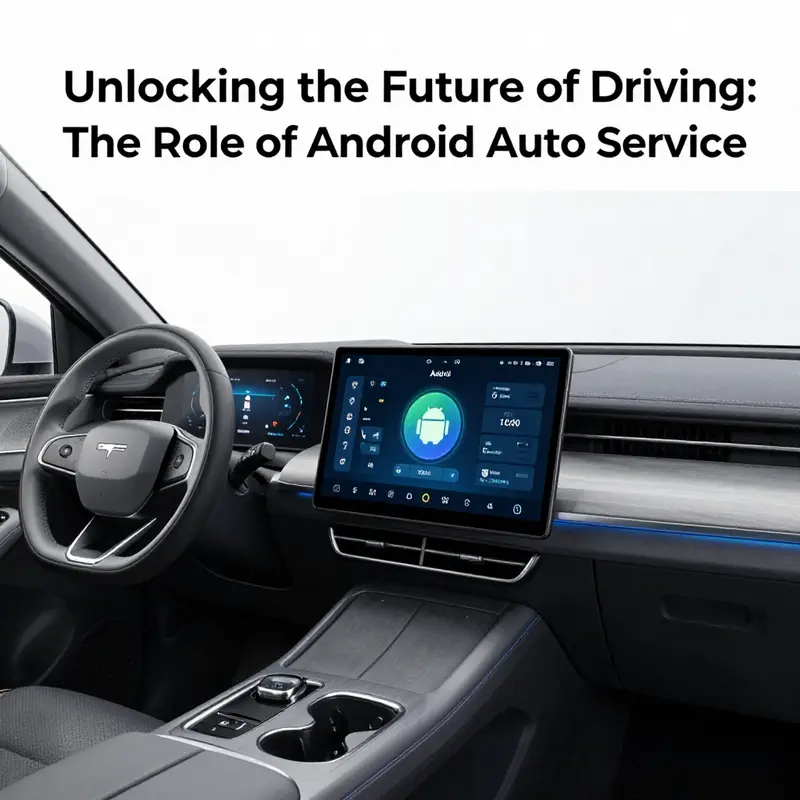
Software sits on the dashboard not as decoration but as the scaffold for how we interact with our vehicles. In the near term, Android Auto Service is not merely a smartphone projection; it is merging with the car’s own operating system to deliver a more coherent, safer, and more capable driving experience. As developers and workshop teams look ahead, the line between phone-based experiences and built-in vehicle apps grows faint. The vehicle becomes a platform, and the driver’s interface becomes a single, consistent language that spans idle moments in the cabin to active navigation on the road.
Deep integration with Android Automotive OS means that the same service can run in two contexts: on a phone when parked, and natively in the vehicle when the car is running. This convergence unlocks opportunities for more sophisticated, unified apps that can harness the car’s sensors, the speakers, the microphone, and the vehicle’s data network. Developers can reuse core logic across platforms, reducing fragmentation and enabling more reliable behavior as the car’s hardware gets more powerful. In practice, this means a background music app can continue playback without interruption when the driver glides from radio to a podcast, or a maintenance app can synchronously check vehicle health data and push a needed update while the car is stationary or in motion within safe limits. The ambition is to deliver continuity rather than a switch, a quality of experience where the app behaves the same way in the car as it does on a phone, yet is optimized for the vehicle’s ergonomics and safety constraints.
With the Android for Cars library, developers are encouraged to move beyond simple notifications toward richer, context-aware interactions. Templates like ListTemplate and SectionedItemTemplate enable concise, digestible interactions that fit the driver’s attention budget. A messaging experience can present conversation summaries and replies in a compact car-safe card, while voice becomes the primary mode of engagement for many tasks. This shift is not merely aesthetic; it is a safety design discipline. The car’s display space is precious, and every interaction must be easy to scan, understand, and act upon with minimal glance time. The library formalizes patterns that help apps render information in a consistent, vehicle-appropriate manner, while still supporting customization for developers who want to differentiate their service within safe boundaries.
Safety remains the compass guiding every Android Auto Service decision. The future favors voice-first workflows, audible confirmations, and tactile simplicity. Text-to-speech can deliver timely alerts without forcing the driver to look away from the road, while voice input enables hands-free replies and commands that keep the wheel and eyes where they belong. Interfaces are designed to minimize cognitive load and visual clutter. When a task would typically require a glance, the system can offer a succinct alert and a single-step action to confirm, or it can queue the action for a more appropriate moment. In the long arc, safety and usability converge, turning in-car software into a quiet partner rather than a distraction. The result is an ecosystem where developers must fortify privacy, manage data efficiently, and ensure robust offline modes where connectivity is intermittent or variable.
Market adoption is not a trend but a foundation. The reach of in-car digital assistants has grown to a scale where millions of drivers expect their apps to behave consistently across devices. Recent figures show that a large majority of U.S. adults who have recently been in a car and own a compatible system use either CarPlay or Android Auto. That penetration translates into a strong incentive for carmakers, studios, and service providers to invest in reliable, well-supported services. It also raises the bar for in-car apps: drivers demand the same level of polish, reliability, and responsiveness they expect from mobile apps, now experienced through the car’s larger display, clearer speakers, and the vehicle’s data stream from sensors and telematics.
Beyond the UI, software-defined vehicles are evolving in ways that make Android Auto services more predictive and personalized. As AI and IoT shift from buzzwords to everyday capabilities, apps can anticipate needs based on location, time of day, and past interactions. A route that ends at a worksite could trigger a maintenance check, a preferred cabin temperature and music profile could be offered before ignition, or a diagnostic warning could prompt a service appointment automatically when the vehicle is parked and charging. These capabilities demand robust architecture for streaming data, secure authentication, and efficient background tasks that the Android Auto Service model is designed to support. In this environment, the car dashboard becomes less a set of discrete apps and more a living interface that learns from the driver while respecting privacy and consent.
For professionals in auto service, this transformation means rethinking service workflows. The workshop is no longer only about fixing a mechanical fault; it is about diagnosing and supporting software-enabled experiences that live behind the scenes. Repair and maintenance teams must understand how apps interact with vehicle networks, how firmware and software updates propagate, and how to test integration in realistic driving scenarios. The work shifts from a purely hardware-centric model to a hybrid one where software reliability and data integrity are as essential as the mechanical tune-ups. In this context, a balanced approach is needed: ensure that the underlying vehicle systems remain secure, that data collected by in-car apps is managed with transparency, and that service tooling can simulate or replicate the app’s behavior under varied driving conditions. The practical reality is that maintaining a car with software-defined features requires new skills, from debugging background services to validating voice-driven flows and ensuring that a background download does not compete with critical navigation performance.
Initiatives around this shift also unfold in the way repair shops present offerings and educate customers. A+ auto service, for instance, represents a broader trend where service providers frame themselves as partners in keeping the in-car digital ecosystem healthy and up to date. The idea is less about repairing a single device and more about sustaining a complex, interconnected system that relies on consistent software updates, secure data pathways, and coordinated workflows across in-vehicle and cloud services. For readers seeking a concise overview of how such service operatives position themselves and communicate value, see A+ Auto Service Overview. This contextual reference anchors the chapter in real-world practice while reminding us that the future is not just about building better apps but about delivering holistic, end-to-end service experiences in the vehicle ecosystem.
Ultimately, the trajectory of Android Auto Service development is toward deeper, safer integration with the vehicle’s core systems, richer and more adaptive user experiences enabled by evolving developer tools, and a solid foundation in safety and voice-first design. The convergence of a software-defined vehicle with the growing fleet of connected, sensor-rich cars invites developers to design services that are proactive, intelligent, and respectful of driver attention. As cars become more than conveyances—they are portable computing platforms—the in-car apps must be built to scale across contexts, from a quiet highway to a congested city street and beyond. This requires robust architecture, clear governance around data, and a culture of testing that simulates real-world driving conditions as part of the development lifecycle. The result is not a gadgetry of features but a coherent experience in which the driver receives timely, relevant, and safe information, with the car doing the heavy lifting behind the scenes to manage connectivity, synchronization, and power consumption.
For deeper technical context, Google’s Android for Cars Application Library documentation provides guidance on the patterns and constraints that shape these experiences.
External resource: https://developer.android.com/cars
Final thoughts
In conclusion, Android Auto Service represents a pivotal advancement in automotive technology, which not only enhances user experience but also significantly contributes to driver safety. As demonstrated throughout this article, its functionalities streamline access to essential applications while minimizing distractions, creating a safer driving environment. The seamless integration of this service into automotive systems is vital for all stakeholders, from private car owners to businesses relying on efficiency and safety. As we look forward to future developments, the potential for Android Auto Service is vast, promising improvements that will define the next phase of automotive technology.